
Managing user members in SIGSCAN Industry
The administrator can create members for your organisations in order to add users to SIGSCAN. You can customise their access rights according to their functions via member groups.
Create a user group
General settings > Users > Groups
Go to the Users tab in the general settings, then to Groups
Create your member groups by defining their rights. Click on the  at the bottom right of the page.
Define a name and the rights assigned to group members (see User rights management)
Finally, add members to the group you have just createdr.
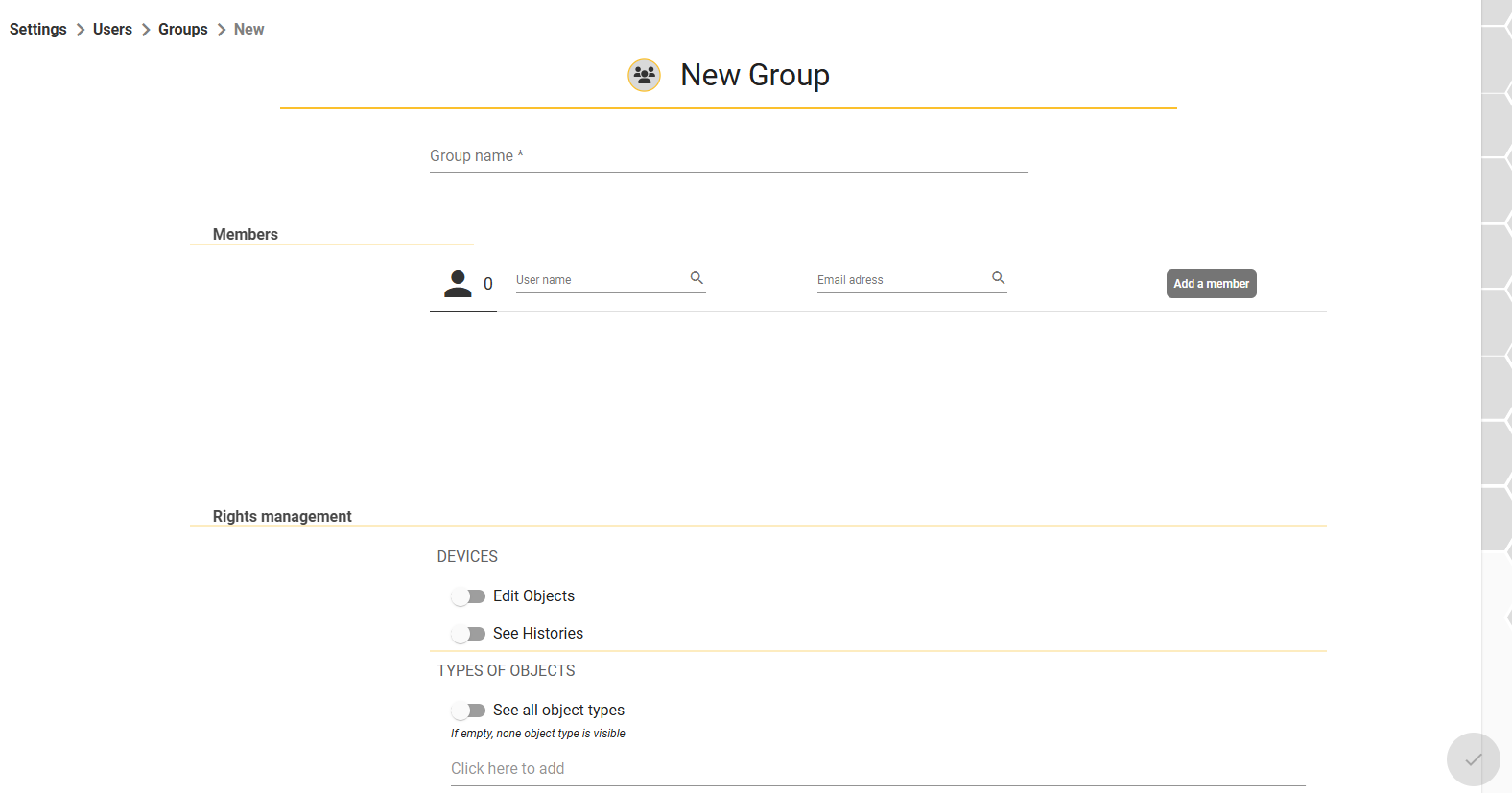
Then confirm at the bottom right of the page  .
.
Add a member
General settings > Users > Members
Click on the  at the bottom right of the page.
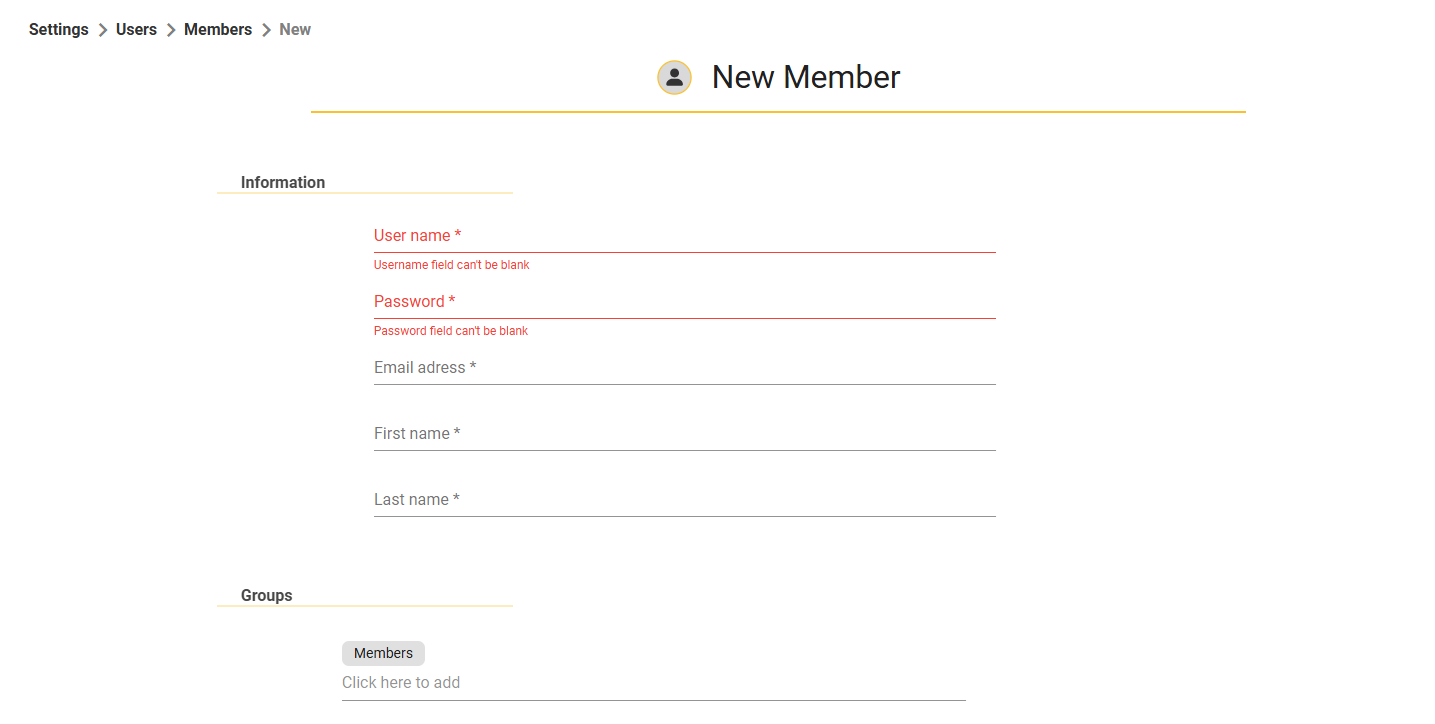
Fill in the mandatory fields, and you can then add the new member to a group (created beforehand) or manage their rights individually.
Then confirm at the bottom right of the page.  .
.