
Navigating SIGSCAN Industry on the WEB interface
You can navigate through the different modules offered by SIGSCAN via the menu on the left of your screen.
You will find the 4 modules present in SIGSCAN Industry, Preparation, Production, Tools and Inventory. You can also access the general settings at the bottom of this menu.
In each module menu, you will find a settings sub-menu, intended for administrators/managers to configure the modules. To set up the modules, go to the SIGSCAN settings section.
Preparation
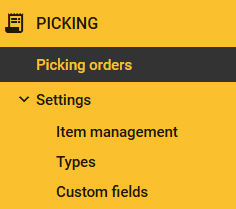
The Preparation tab is designed to manage your item preparation lists and indicate the location of your items in the field using BLE display tags. From the WEB interface, you can manage and view your preparation lists and configure the module. (see Preparation).
Picking/preparation order :
View your different preparation orders and the progress of field actions in a list. You can create new preparation orders or modify existing ones. .
For more details, to see the help page for using the Preparation module : click here
To configure the Preparation module parameters : click here
Production
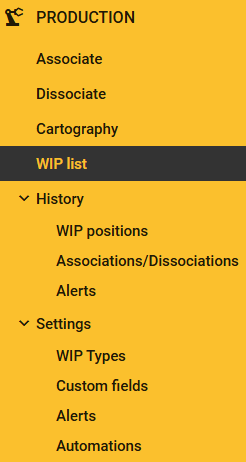
The Production tab is designed to manage the work in progress that you want to track on your equipment using BLE display tags. You can view and manage different objects you are tracking in this module. (see Production).
Association and dissociation :
These are shortcuts for making your associations and dissociations.
Find and view the position of objects :
The Cartography tab displays a map of your facility and a list of objects with their positions. You can go into more detail about your plans and objects.
Browse the work in Progress list :
The work in progress List tab allows you to view all your work in progress and create, import or export them in SIGSCAN..
Historic :
In this tab you can view the position history of your objects, filter, sort and search for a specific object, access the history of object associations and dissociations and the list of alert notifications that you have configured for this module.
For more details, see the Production module help page : click here
To configure the production module parameters : click here
Outils
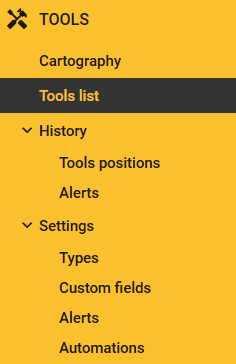
The Tools tab is designed to manage the tools you want to track on your equipment using BLE tags. From the WEB interface, you can manage and view your tools and configure the module (see Tools).
Search and view tool positions :
The Mapping tab allows you to display a map of your facility as well as a list of tools with their positions. You can go into more detail about your plans and tools.
Browse the list of tools :
The Tool List tab allows you to view all your tools and create them in SIGSCAN manually or by importing.
History :
In this tab you can view the position histories of your objects, you will be able to filter sort and search for a specific object if required as well as the list of alert notifications you have configured for this module.
For more details, see the Tools module help page: click here
To configure the parameters of the Tools module : click here
Inventaires
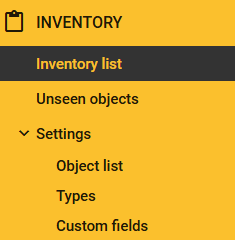
The Inventories tab lets you carry out quick inventories using passive tags (RFID) placed on equipment using mobile readers. (see Inventories)
Inventories
From the web interface, you can consult your list of different inventories with the different types of products inventoried..
Unseen items
This tab allows you to identify items that have been unseen for some time.
For more details, consult the help page for using the Industry Inventories module : click here
To configure the parameters of the Industry Inventory module: click here
Paramètres généraux
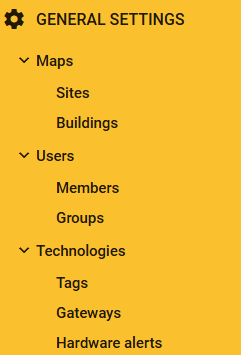
Navigation in the general settings is reserved for administrators or users with specific rights.
Maps
This tab allows you to manage the maps and zones of your organisation : Read the guide
Users
You can manage your users and assign rights to user groups : Read the guide
Technology
You'll find lists of geolocation equipment and the equipment alert configuration menu : Read the guide
For more information on general settings: : click here
Autre menu de navigation

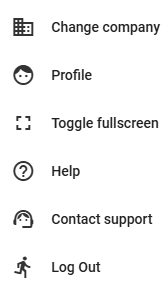
Thanks to the bell, you can quickly check for new notifications on the alerts you have set up.
To change your organisation (if this is the case for you), go to the change company menu.
From the “My profile” tab you can view your profile information and change your password.
Switch your interface to full-screen mode
Contact support directly, you will be redirected to our ticket platform to report your problems.