
SIGSCAN Industry BLE geolocation configuration help
Setting up and configuring the SIGSCAN solution is a matter of putting it into practice. This stage may involve rethinking the layout of the receivers on the plans.
Overall operation of the solution
.jpg?inst-v=4e43d646-b26e-4e48-931a-def2d99aee3a)
Signal forwarding to the server
SIGSCAN is based on frames sent every 5 seconds (by default) by the tags. These signals are then picked up by the antennae near the tag, which are able to determine the strength of the signal received (which varies according to distance and environment). It is this information that is sent back to the SIGSCAN server.
For example, a tag emits a signal (containing its MAC address and battery level). This signal is received by one or more antennas in the field, which send this information and the strength of the signal received back to the server. The server processes the data received for a tag to determine which receiver it is closest to. If the tag is seen by 3 receivers, the server positions the tag on the receiver with the best signal between the 3.
Receiver coverage area
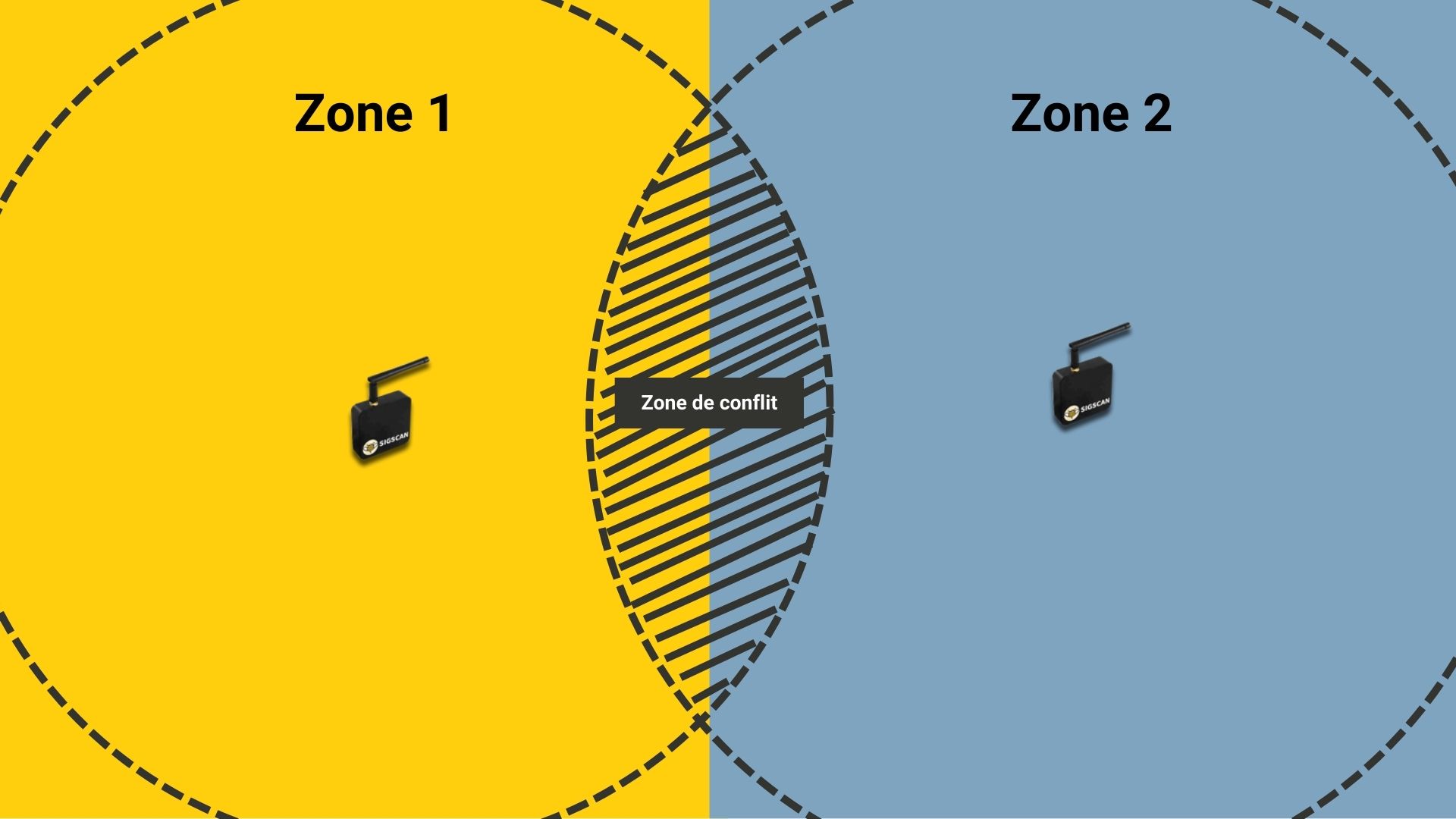
In an ideal environment, a receiver has a tag detection range of up to fifty metres. The receivers can therefore see objects in a circle of up to 50 metres around them. When you set the range of your receivers in SIGSCAN, you vary the distance of this detection radius.
Drawing your zones in SIGSCAN does not affect the detection zone of your receivers; it only allows you to assign your receivers to zones.
Good practices
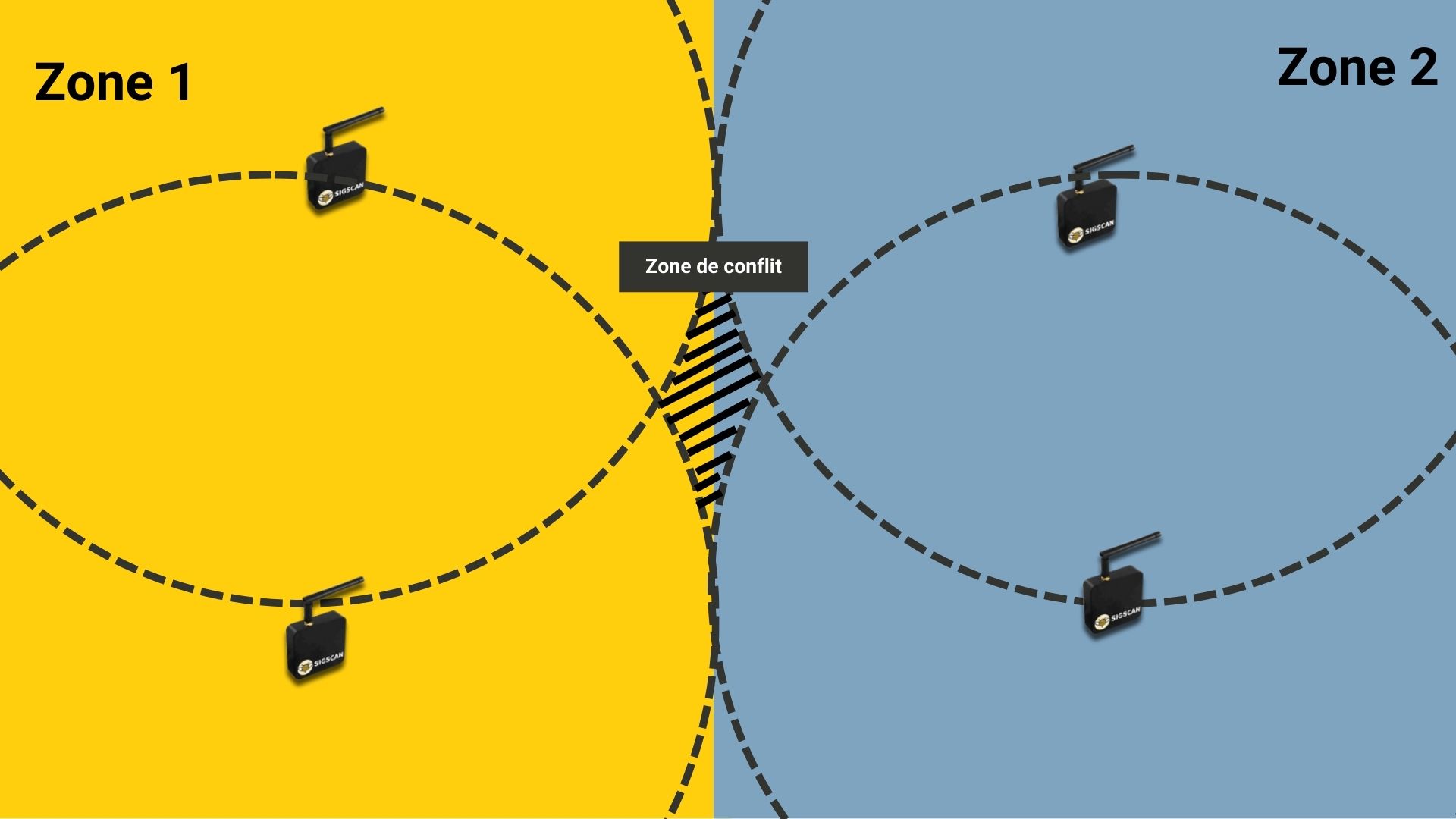
Avoid overlapping the beams of your receivers to avoid conflicts with similar signal intensities.
Position your receivers as centrally as possible in your zones.
Position your receivers close to where your objects pass through or stagnate.
Increase the number of receivers to cover an area rather than greatly increasing the detection range of the receivers
Position calculation by the server
When the signal is transmitted to the server, it stores the data it receives for a tag (identified by its MAC address) for a ‘calculation window’. By default, this window is 30 seconds, i.e. the server stores all the data it receives for 30 seconds. At the end of this ‘calculation window’, the server selects the best stored signal to update the tag's position.
It is therefore possible to adjust the time of this ‘window’ to ensure greater position accuracy by increasing the duration of the window.
For example, a tag emits a signal every 5 seconds and is picked up by 2 receivers. Receiver 1 transmits a signal with an intensity of 1 and receiver 2 transmits a signal with an intensity of 0.5. The server stores these values (so over a 30-second window 6 values per receiver for a total of 12) and chooses the value with the best signal strength. The position is then updated and sent back to the interface, here on receiver 1.
By increasing this window, we increase the range of values used to determine the position, thereby increasing the accuracy of the information, the only downside being that the information is updated more slowly on the interface.